The wpDataTables you know is evolving. And we’re excited to show you what’s next.
For years, wpDataTables has helped WordPress users turn spreadsheets, databases, and other data sources into interactive tables and charts.
From simple comparison tables to complex data-driven websites, the goal has always been the same: make working with data in WordPress easier, without limiting what you can build.
But the way we work with data is changing. AI is opening up new possibilities, and users increasingly expect tools that are both powerful and intuitive.
We believe it’s time for WordPress table building to evolve, too.
Today, we’re introducing a new chapter for wpDataTables: a refreshed experience, smarter workflows, and more ways to create, manage, and visualize your data.
And at the center of it all is something we’re particularly excited about.
Table of Contents
Meet Tabella AI: Your New Way to Build WordPress Tables
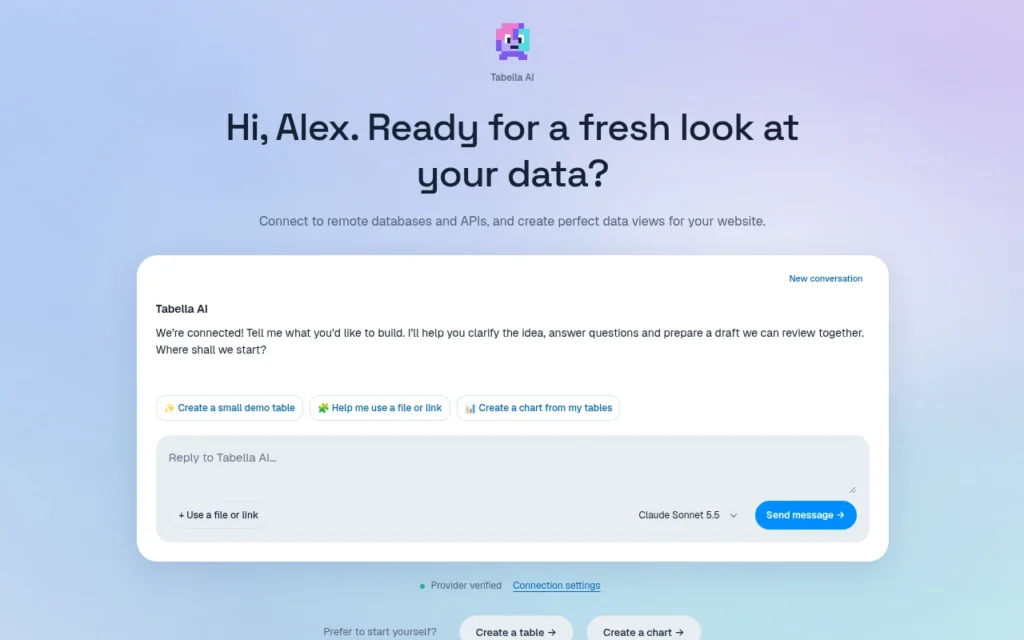
Imagine creating a WordPress table by simply describing what you need.
No complicated setup. No figuring out every column and setting before you can get started. Just tell AI what you want to build.
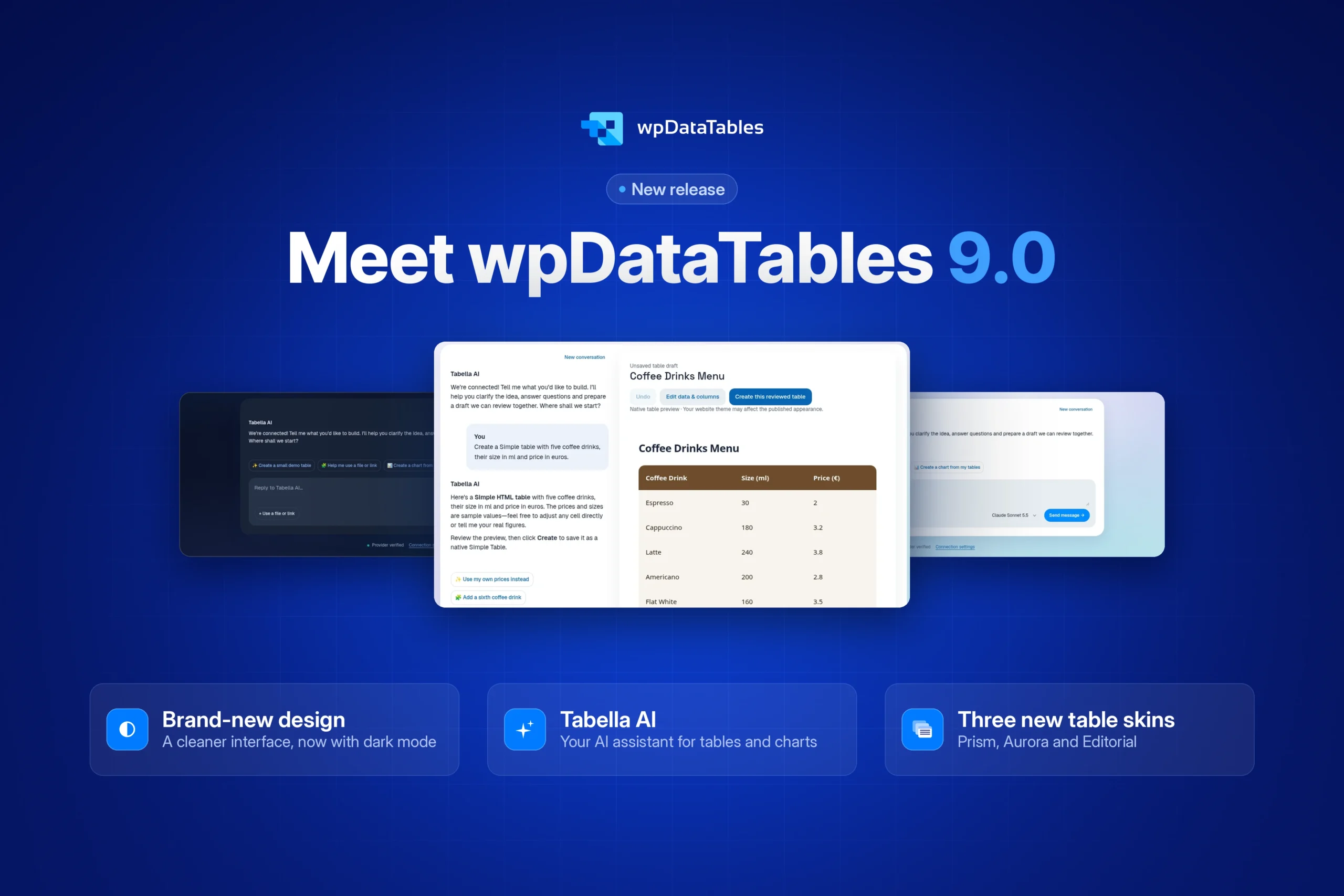
That’s the idea behind Tabella AI, our new built-in AI assistant for wpDataTables.
With Tabella AI, you can create, edit, and customize WordPress tables through conversation, directly inside the plugin.
Need a product catalog with prices and availability? Describe it.
Want to adjust the columns or change how information is displayed? Just ask.
Need to turn an existing table into a chart? Tabella AI can help with that, too.
And here’s an important part: you stay in control.
Tabella AI prepares a result for you to review. You can request changes, refine the details, and approve the outcome before it’s saved.
It’s AI assistance that works with you, not instead of you.
Your AI, Your Way
We know that not everyone wants to work with AI in the same way.
Some people want a built-in assistant that makes everyday tasks easier. Others already work with tools like Claude or Cursor and want to bring those workflows into WordPress.
And some simply prefer building tables manually.
With wpDataTables, you can choose how to use AI to generate tables and charts.
Work directly inside WordPress with Tabella AI
Open the built-in assistant, describe what you need, and create or refine your tables without switching to another application.
It’s a conversational way to work with wpDataTables, designed to make common table-building tasks more approachable.
Bring your own AI assistant through MCP
Prefer using the AI tools you already know?
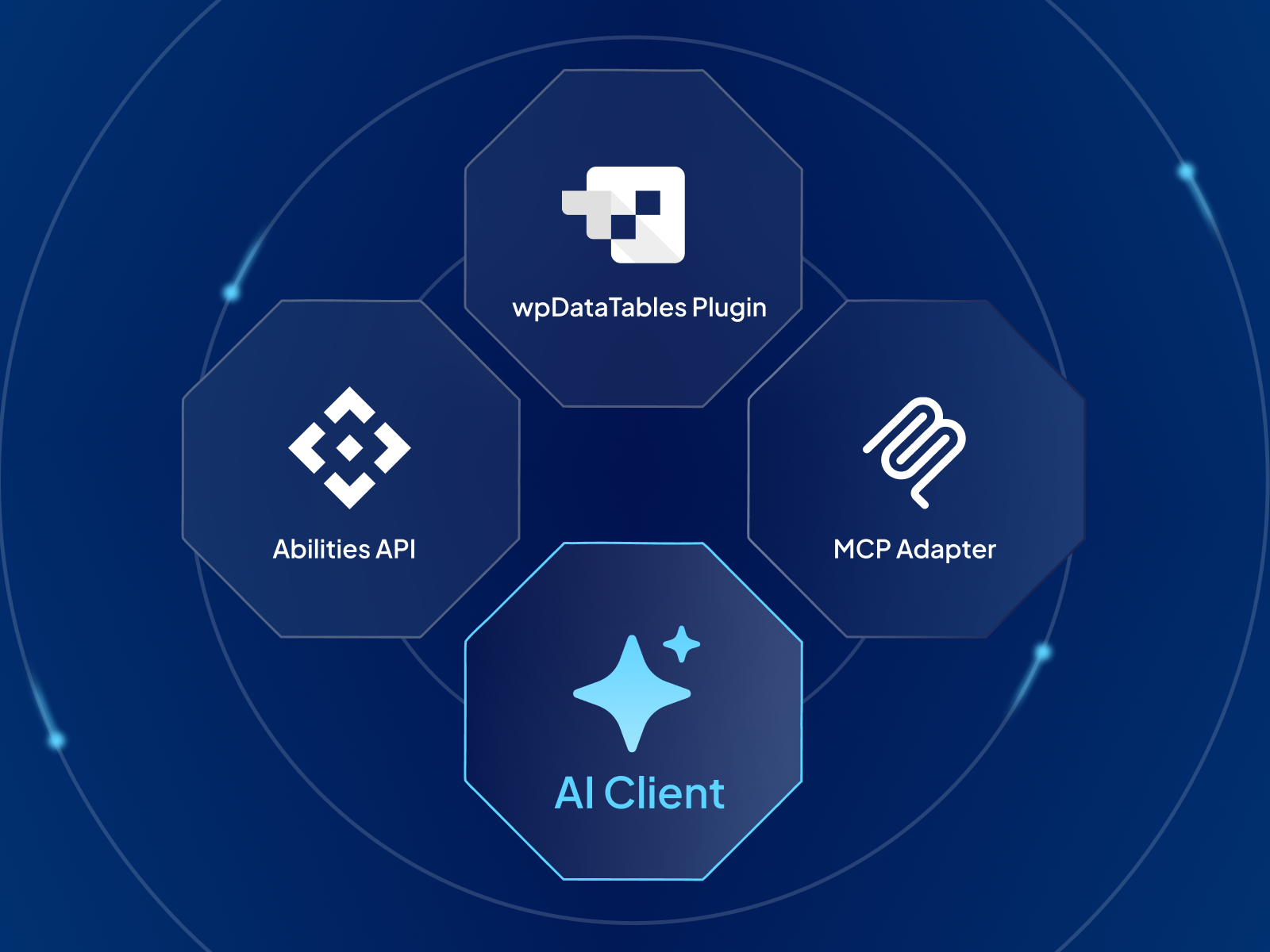
wpDataTables supports the Model Context Protocol (MCP), allowing compatible external AI assistants to interact with your WordPress tables and charts.
Create tables, retrieve information, update supported configurations, and build charts using natural-language instructions from your AI client.
Your assistant connects through authenticated WordPress actions, with the appropriate permission checks in place.
Or keep building your way
AI is an additional way to work with wpDataTables, not a replacement for the features you already use.
You can still create tables manually, import data, configure your columns, build charts, and customize everything through the familiar wpDataTables tools.
Start with AI and finish manually. Build everything yourself. Or combine both approaches.
One powerful WordPress plugin. The freedom to work your way.
A Fresh Look for a New Chapter
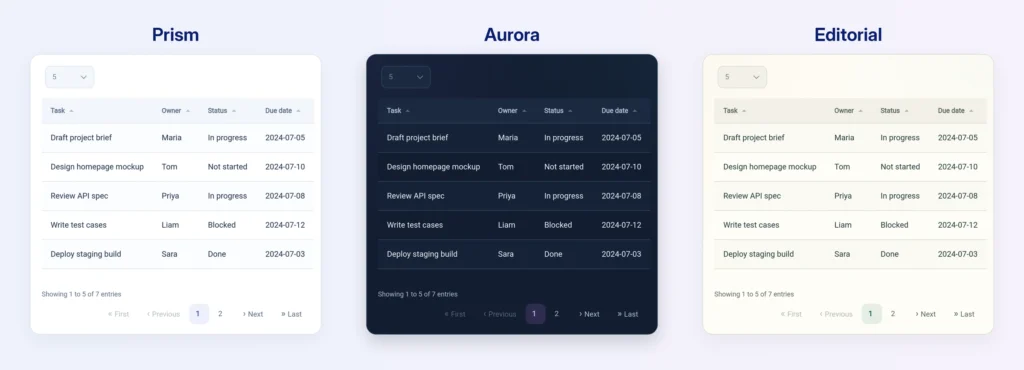
We’ve also rethought how wpDataTables looks and feels.
Our redesigned website puts the product’s capabilities front and center, making it easier to discover what you can build, explore features, and find the right tools for your needs.
You’ll find clearer paths to tables, charts, AI functionality, data sources, and integrations, along with practical examples that show wpDataTables in action.
We’ve also been working on a refreshed admin experience, with a cleaner interface and a more modern look.
Because powerful software shouldn’t feel complicated.
Whether you’re creating your first table or managing a more advanced data workflow, we want wpDataTables to feel easier to navigate and more enjoyable to use.
More Than Tables: Bring Your Data to Life
Of course, wpDataTables has always been about more than displaying rows and columns.
Our charting capabilities let you turn data into visualizations that help visitors understand information at a glance.
From familiar bar, line, and pie charts to more advanced visualizations, wpDataTables gives you multiple ways to present your data.
Recent improvements have expanded those possibilities even further, including additional bubble chart types and support for advanced charting options.
And with AI-powered chart suggestions and new conversational workflows, finding a useful way to visualize your data is becoming easier.
Whether you’re publishing business reports, presenting research findings, or creating interactive dashboards, wpDataTables helps you move from raw data to something people can actually explore.
More Powerful Where It Matters
While we’ve been introducing new ways to build with AI, we haven’t forgotten the capabilities that make wpDataTables useful for more demanding projects.
Recent releases have expanded what the plugin can do behind the scenes, too.
Smarter database workflows
AI-powered SQL generation helps make working with database queries more approachable, while existing database connections and advanced query options remain available when you need greater flexibility.
More control over your data
Advanced user- and role-based permissions give administrators more control over who can access and manage tables and charts.
This becomes especially important when you’re working with teams, client websites, or more complex WordPress installations.
More possibilities for developers
With MCP integration, webhooks, and a public REST API available in supported plans, wpDataTables offers more ways to connect data workflows with other tools and systems.
And integrations with WordPress tools such as WooCommerce, form builders, and page builders make it easier to use your data throughout your website.
These capabilities are part of a bigger direction for wpDataTables: simpler experiences for everyday users, with the flexibility advanced users and developers need.
Explore All wpDataTables Features
Built for Real-World WordPress Projects
There’s no single way to use wpDataTables.
You might need a searchable product catalog for an online store, a financial report for your business, a comparison table for your website, or an interactive chart that helps visitors understand a complex dataset.
You might be a business owner managing information, a marketer presenting results, or a developer creating a data-driven WordPress experience for a client.
That’s why we’ve continued investing in both ease of use and flexibility.
The new wpDataTables experience makes it easier to discover what’s possible, while the plugin gives you the tools to bring those ideas to life.
What’s Next for wpDataTables?
This new chapter isn’t just about a refreshed design or one new AI feature.
It’s about where we want to take wpDataTables.
We want to make working with data in WordPress more intuitive, more connected, and more flexible, whether you’re creating a simple table or building something far more advanced.
AI is an important part of that journey, but it’s not the whole story.
We’re continuing to invest in the table-building and charting capabilities our users depend on, while exploring new ways to reduce repetitive work and make powerful features easier to access.
And as always, the feedback we receive from our users will help shape what comes next.
Discover the New wpDataTables
We’ve given wpDataTables a fresh look, expanded the ways you can work with AI, and continued building on the table and chart capabilities that brought us here.
But one thing hasn’t changed.
Our goal is still to help you do more with your data in WordPress.
Now, you have even more ways to do it.
Explore the new wpDataTables, meet Tabella AI, and see what you can build.