“Create a bar chart of revenue by region from the Q1 Sales table.”
One sentence. And a chart appears in your WordPress admin, ready to embed.
That’s the promise of wpDataTables MCP, and if you manage data tables or data visualizations on WordPress, it’s worth understanding exactly what it does and how it works.
Table of Contents
What Is wpDataTables MCP?
MCP stands for Model Context Protocol, which is an open standard that allows AI assistants to connect to external tools and take actions through a structured, authenticated interface. wpDataTables MCP connects your AI client directly to your WordPress data tables and charts.
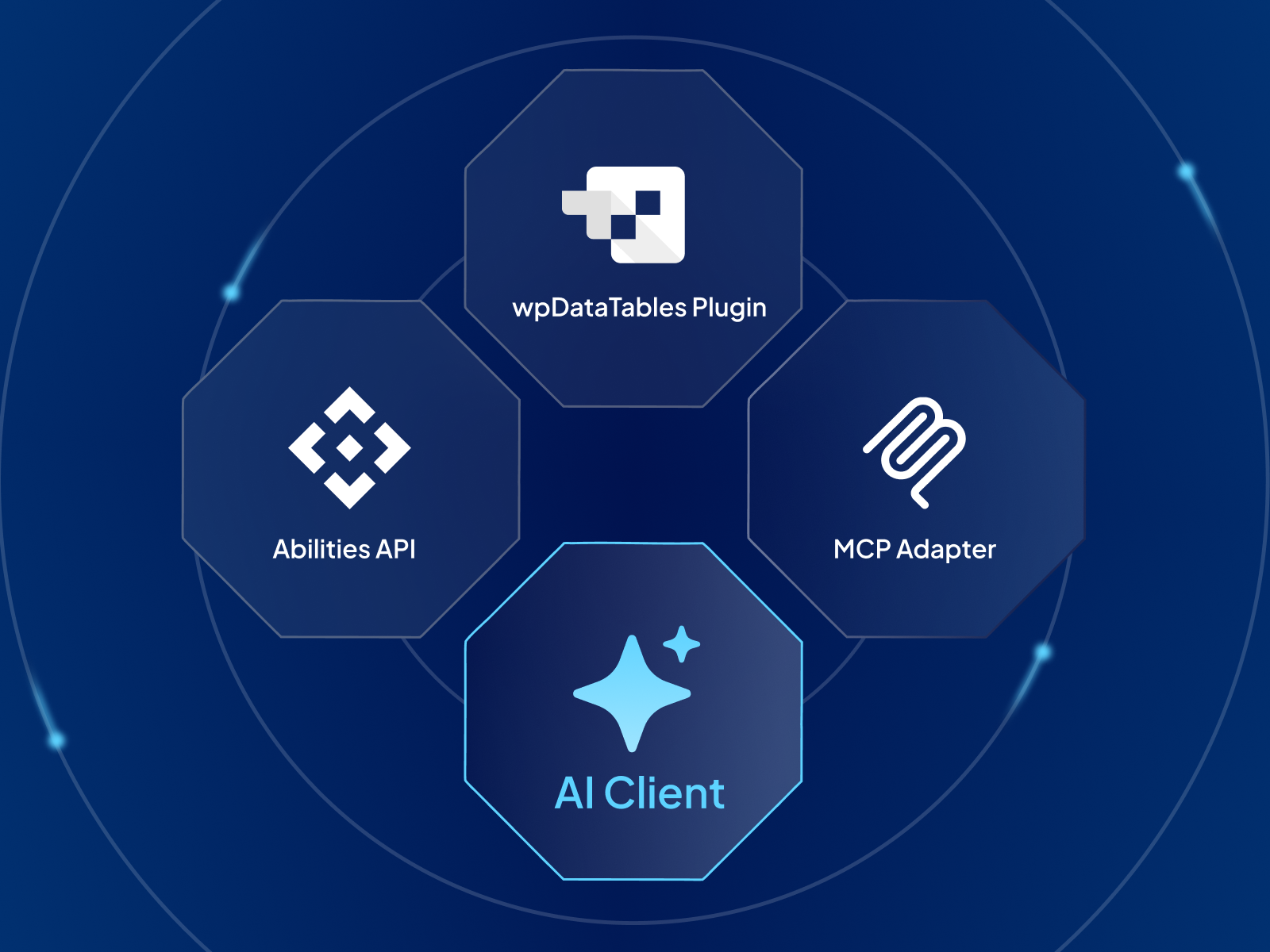
wpDataTables registers its data actions in the WordPress Abilities API. An MCP adapter bridges those actions to any MCP-compatible AI client, such as Claude Desktop, Cursor, Claude Code, and others. When you ask your AI to create a table, it sends an authenticated request to wpDataTables and the table is created through the plugin’s own engine.
There’s no new interface inside wpDataTables. You bring your own AI client, and it manages your data from wherever you work.
What Your AI Can Do With Your WordPress Data
Thanks to this powerful feature, wpDataTables now functions as an AI table generator that can:
Create and manage tables
“Create a table called Q1 Sales with columns: Product, Region, Revenue, and Units Sold.” The AI builds the table in wpDataTables, ready to populate and embed with a shortcode. You can also list all your existing tables, retrieve their data, or update settings, all through natural language.
Build charts from your data
This is where wpDataTables MCP stands out from the crowd. Your AI assistant can create charts directly from any wpDataTables dataset, including bar charts, line charts, and pie charts, and specify the data source, axes, and grouping in a single instruction.
“Create a line chart showing monthly revenue trends from the 2025 Sales table, grouped by month.” Chart created. Shortcode ready. No chart wizard, no manual axis configuration.
How It Works
wpDataTables registers its data actions in the WordPress Abilities API, which is a machine-readable capability registry available on WordPress 5.3 and newer (bundled natively in WordPress 6.9; loaded automatically via Composer on earlier versions).
An MCP adapter bridges those actions to the Model Context Protocol. Your AI client connects to the wpDataTables MCP endpoint, discovers available actions automatically, and can call them using authenticated requests.
Every action goes through wpDataTables’ own logic and WordPress permission checks. The AI can only do what the authenticated WordPress account is permitted to do, so admin-only actions stay admin-only, even if the AI tries.
Who This Is For
wpDataTables MCP is most valuable for developers and agencies that build data-heavy WordPress sites, analysts who regularly create or update tables and charts in WordPress, and anyone who wants to manage WordPress data from inside an AI workflow rather than switching contexts to the admin.
If your work involves regularly creating new tables, updating visualizations, or querying data for reports, and you’re doing that manually through the WordPress admin, this compresses that workflow significantly.
How to Set It Up
Setup is a one-time configuration in your AI client. No plugin settings to change, no new interface to learn:
- Confirm you’re on WordPress 5.3 or newer (6.9+ recommended).
- Log into WordPress as an admin; the AI client connects using your WordPress account credentials.
- Configure your AI client (Claude Desktop, Cursor, or Claude Code) to connect to the wpDataTables MCP endpoint: yoursite.com/wp-json/mcp/wpdatatables-mcp-server
The AI discovers available actions automatically once connected. For more details. check out our full setup guide.
The Bigger Picture
Three tools, one AI conversation. Collect with IvyForms, book with Amelia, and analyze with wpDataTables, are now finally connected.
All three plugins expose MCP capabilities through the same WordPress architecture. If you run a WordPress site that collects data, manages appointments, and reports on both, you now have a single AI workflow that reaches across all three without switching between admin screens, plugins, or tools.
Frequently Asked Questions
What WordPress version do I need?
WordPress 5.3 or newer. The Abilities API is bundled natively in WordPress 6.9; on earlier versions, wpDataTables loads it via Composer automatically.
What AI clients work with wpDataTables MCP?
Any MCP-compatible client. Claude Desktop, Cursor, and Claude Code are confirmed. Connect them to the /wp-json/mcp/wpdatatables-mcp-server endpoint with a WordPress admin account.
Does this change anything about how my existing tables work?
No. The integration adds an external connection point but doesn’t change the table management screens, chart renderer, or query engine. All existing tables and charts continue to work as before.