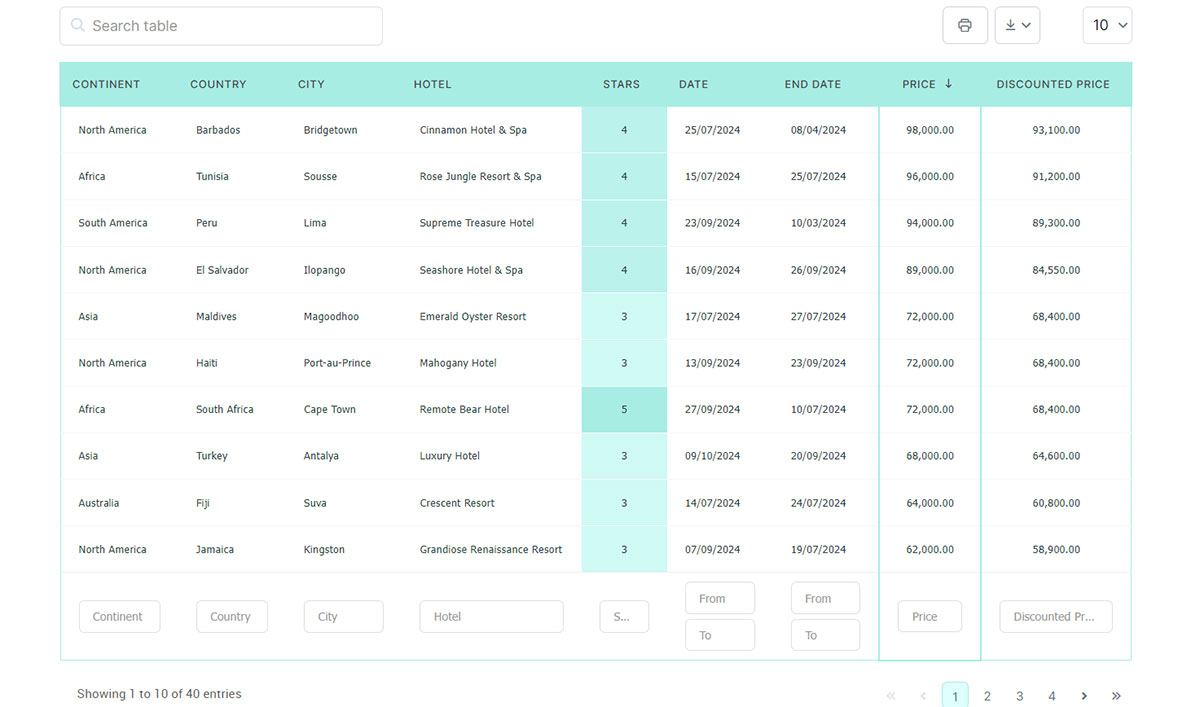
Click a column header, the rows rearrange, nothing loads. That’s the feature.
And it has worked in every browser worth supporting since July 2015, when Array.prototype.sort() reached universal availability per MDN’s browser-compatibility tables, though the algorithm running underneath kept changing for years after that.
Rows come out of the DOM into an array. The array gets sorted. The rows go back in, in their new order.
You’ll find this pattern in dashboards, admin panels, and pretty much any data-heavy interface a team maintains in-house, and the practical measure of it is how many rows a browser can reorder before the page visibly stalls.
Table of Contents
What Is JavaScript Table Sorting?
The browser does the work. Rows already sitting on the page get reordered by a script, and the data source they came from never finds out.
That’s what separates it from server-side sorting, where a click fires off a request, a query runs somewhere, and a freshly rendered page comes back. It’s also why CSS can’t cover this. CSS will flip a static order for you, but it cannot read what’s inside a cell and compare it against another one.
Worth being clear about what it isn’t. Nothing gets written to a database, so the underlying records are untouched. Refresh the page and the original markup order returns, unless you’ve stashed the sort state in localStorage or a URL parameter.
It isn’t tied to a framework either. React, Vue, jQuery plugins, plain script tags, all of them sit on the same array-sorting logic underneath.
How Does JavaScript Sort Table Rows in the DOM?
See the Pen
Sortable SaaS Table – DOM Array Sorting by Bogdan Sandu (@bogdansandu)
on CodePen.
Rows get pulled into a plain array, sorted there, then put back. The table element itself is never rebuilt. Only the order of its children changes.
Reading Table Rows Into an Array
Array methods don’t exist on live DOM collections. That’s the entire reason this step is here.
table.rows and tbody.children hand back live HTMLCollections, and a live collection has no sort method of its own. Array.from() copies them into a real array that Array.prototype.sort() can work on directly.
Array.from(table.tBodies[0].rows) grabs every data row in one pass. querySelectorAll('tbody tr') works too, returning a static NodeList that converts just as cleanly.
Keep the header row out of it either way. Sorting the <th> row in with the data looks like a rendering glitch for about ten minutes before you spot what happened.
The same caution applies at the bottom of the table. A table footer with totals stays out of the array automatically as long as you read from tBodies[0], but a footer row that was placed inside the <tbody> gets sorted along with everything else.
Reinserting Sorted Rows With appendChild
appendChild moves a node that’s already in the document rather than duplicating it. Loop over the sorted array, call it on each row in order, and the table quietly rearranges itself. No cloning. No innerHTML rebuild, which means no lost event listeners on the buttons and checkboxes living inside those rows.
Past a few hundred rows, append into a DocumentFragment first, then drop the fragment into the <tbody> in a single operation. Each direct append to a live table can trigger a layout recalculation, and those stack up faster than you’d expect.
There’s a newer option for the sort step itself. Array.prototype.toSorted() returns a sorted copy and leaves the original array alone, available across major browsers since July 2023 (MDN documentation).
It still hands back a plain array rather than a DOM update, so the reinsertion loop still has to run afterward.
What Sorting Algorithm Does Array.prototype.sort() Use?
TimSort, if you’re in V8, which covers Chrome, Edge, and Node.js. Before that it was a blend of Quicksort and insertion sort, and it wasn’t stable. The switch landed in V8 7.0, shipped with Chrome 70 (V8 team, 2018).
| Period | Algorithm | Stability |
|---|---|---|
| Before Chrome 70 | Quicksort for larger arrays | Not stable |
| Chrome 70 onward (V8) | TimSort | Stable |
| ES2019 specification | Implementation-chosen, must behave stably | Stable by spec |
Stability means rows that tie on the sorted column keep the relative order they already had instead of getting shuffled.
TC39 merged the normative change requiring stable sort behavior in January 2019, folding it into the ES2019 edition of the language (TC39, 2019). So it isn’t a V8 implementation detail anymore, it’s the guarantee.
You feel the absence of it the moment a table gets a second sort column. Without stability, the first sort leaves nothing reliable for the second one to build on.
MDN still flags that the exact time and space complexity of sort() isn’t guaranteed by spec, since that depends on which engine is running the code.
How Does JavaScript Compare Strings, Numbers, and Dates When Sorting a Table?
Default sort() converts every value to a string before comparing it. No exceptions. That one behavior explains most of the sorting bugs people run into.
Sorting Numeric Columns
Ten sorts before two. It’s the classic, and it isn’t an engine bug, it’s the string conversion doing exactly what it was told. Character by character, "10" starts with a 1 and "2" starts with a 2.
If the values are already numbers, (a, b) => a - b is all you need. If they’re text sitting in cells, wrap them in parseFloat() or Number() inside the compare function.
Strip currency symbols, commas, and units before parsing. Otherwise parseFloat() hits the dollar sign and returns NaN, and NaN comparisons poison the whole sort without ever throwing.
Sorting Text Columns
Default string comparison works on UTF-16 code units, so “Zebra” lands before “apple”. Capital Z has a lower code point than lowercase a. Accented characters get mangled in the same way.
localeCompare() handles both, because it compares text the way a specific language actually orders it. Intl.Collator does the same job but caches its comparison rules, which is noticeably better when one column gets sorted over and over.
I reach for Intl.Collator by default now, mostly out of habit.
Sorting Date Columns
Raw date strings don’t sort chronologically. "12/1/2024" and "3/1/2024" get compared as characters, and the 1 in 12 wins.
Converting each value to a Date object, or to a numeric timestamp with getTime(), fixes the comparison.
Be careful with Date.parse(). It only guarantees support for the ISO 8601 date-time format. Other formats are implementation-defined and can return different results across browsers (MDN documentation).
The cleanest fix is upstream. Put a machine-readable date in a data-sort attribute, ISO format, and read that instead of the display text. Parsing never enters the picture.
How to Add Click-to-Sort Functionality to an HTML Table
A listener sits on the table header, the click tells you which column, and the sort-and-reinsert sequence from earlier does the rest.
- Attach a click listener to the
<th>elements inside<thead>, individually or through one delegated listener on the header row. - Read the clicked header’s column index, either from its position in the row or from a data attribute set in the markup.
- Convert the
<tbody>rows into a plain array withArray.from(). - Sort that array with a compare function that reads the cell matching the clicked index.
- Put the rows back with
appendChild, through aDocumentFragmentif the table is large.
Step four is where people get stuck. The compare function has to know which column was clicked, which means the index needs to travel with the handler instead of being hardcoded into it.
Event delegation sorts that out. One listener on the <thead>, an event.target.closest('th') check inside it, and every column is handled without binding a separate function per header.
How to Toggle Ascending and Descending Sort Order
Direction state usually lives in a data attribute on the <th> itself. Reading it back out of the DOM is less code than keeping a parallel object in sync, and the state is right there when you’re poking around in devtools.
Click the same header a second time and you reverse the compare function’s return value. That’s it. You don’t write a separate routine for descending.
Click a different header and direction resets to ascending, clearing whatever the previous column was holding.
The toggle logic stays small. Read the current direction off the header, flip it, write it back, then multiply the compare result by 1 or -1 depending on which way you’re going.
Adding a Visual Sort Indicator
Sort state that only exists in JavaScript memory is invisible to the person using the table.
An arrow character next to the header text is the usual answer, rotated or swapped depending on direction. A class toggled on the <th> and styled with a pseudo-element does the same job with less markup churn.
Whichever you pick, keep it consistent with the rest of your table UI design, and let aria-sort carry the same information for screen readers, since a rotated triangle means nothing to them.
Removing the previous indicator matters as much as adding the new one. A table showing two active arrows reads as broken even when the sort ran perfectly.
How to Sort a Table by Multiple Columns
Compare functions chain. The primary column decides the order first, and the secondary one only gets consulted when two rows tie.
Compare column A. If that returns zero, compare column B and use that result instead. The same shape extends to a third and fourth key.
Stability is what makes it dependable. Because Array.prototype.sort() preserves the order of rows that already compare equal, chained comparisons behave predictably rather than scrambling ties at random.
Once more than one column can be active at a time, priority needs to live in an ordered array instead of a single “current column” variable.
Shift-click is the convention most people already know from spreadsheets and file managers. A plain click sets a new primary column and drops whatever secondary keys were there. Shift-click appends rather than replacing. Clicking a column that’s already active reverses its direction, shift or no shift.
Take away the stable sort and the whole pattern collapses, because the secondary comparison has nothing trustworthy to fall back on.
Do you want a simpler way? Just use wpDataTables
wpDataTables can help you generate sortable tables without writing any code. There’s a good reason why it’s the #1 WordPress plugin for creating responsive tables and charts.
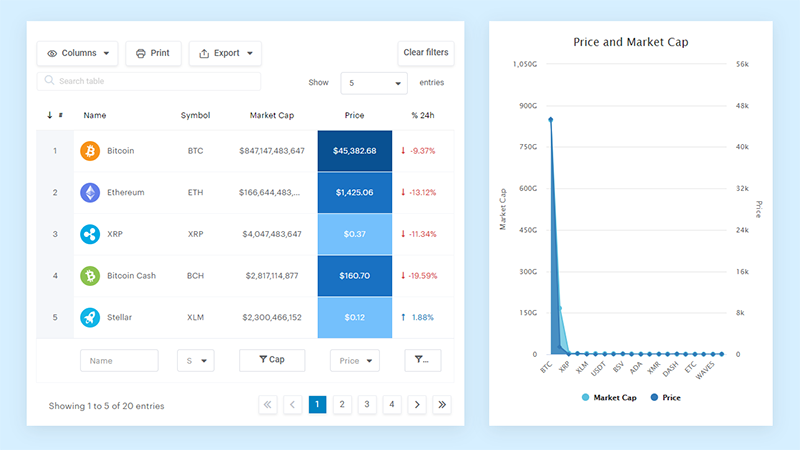
And it’s really easy to do something like this:
- You provide the table data
- Configure and customize it
- Publish it in a post or page
And it’s not just pretty, but also practical. You can make large tables with up to millions of rows, or you can use advanced filters and search, or you can go wild and make it editable.
“Yeah, but I just like Excel too much and there’s nothing like that on websites”. Yeah, there is. You can use conditional formatting like in Excel or Google Sheets.
Did I tell you you can create charts too with your data? And that’s only a small part. There are lots of other features for you.
Should Table Sorting Be Built From Scratch or With a Library?
Both routes produce a working table. The decision is about how complicated the table is and how many people will maintain it, not about whether you can write a compare function.
Rolling your own
Nothing extra ships to the browser, the markup is yours, and matching an existing design system is trivial because there’s nothing to override.
The cost arrives later. Pagination, filtering, and column resizing each need their own code, and the awkward cases (empty cells, a column with mixed types, a stray non-breaking space) surface one at a time over months.
Reaching for a library
Sorting, filtering, and pagination arrive together, tested against a far wider range of browsers and datasets than in-house code ever gets. You pay in file weight, a dependency to keep current, and CSS overrides when the default styling fights your own.
Team size tends to settle it in practice. One small table in an internal tool doesn’t need a library. A dashboard carrying several interactive tables usually does, and holding out costs more hours than the dependency ever will.
Which JavaScript Library Is Best for Sortable Tables?
DataTables, Tabulator, and AG Grid all sort columns directly. SortableJS does not, despite what the name suggests, and that trap is worth flagging before anything else.
Whether jQuery is already in the stack usually decides it, along with how large the dataset gets and whether the table has to live inside a React or Vue component.
| Library | Built On | Best Fit |
|---|---|---|
| DataTables | jQuery through v2; dependency-free from v3 (2026) | Existing jQuery projects, quick setup |
| Tabulator | Framework-agnostic | React, Vue, or vanilla projects without jQuery |
| AG Grid | Framework-agnostic | Large, enterprise-scale data grids |
| SortableJS | Framework-agnostic | Drag-and-drop row reordering, not column sorting |
DataTables has been maintained for roughly 18 years, and its GitHub project carries roughly 7,400 stars (GitHub, 2025). For most of that run it required jQuery, which says something about how long jQuery-based sorting stayed genuinely useful.
DataTables 3, released in mid-2026, dropped the jQuery dependency entirely, though the library still works alongside jQuery for teams already relying on it.
Tabulator ships sorting, filtering, and editing with no jQuery anywhere, and its own documentation lists React, Angular, and Vue as supported front-end frameworks.
AG Grid aims higher up the size curve, through a dedicated Client-Side Row Model built specifically for sorting and filtering inside the browser.
SortableJS carries more GitHub stars than any of the three, over 30,000 (GitHub, 2025), and its own documentation describes it as a library for reorderable drag-and-drop lists. Not column sorting. Picking it for a sortable table means reading the name instead of the README.
If none of these four fit, there’s a wider roundup of JavaScript table libraries, plus a look at DataTables alternatives for teams that want to move off jQuery.
How Much Does Table Sorting Performance Degrade With Large Datasets?
All of this runs on the browser’s main thread, so a big enough sort blocks rendering while it finishes. What the user sees is a frozen page.
TimSort averages O(n log n) and drops to O(n) when the data is already close to sorted. The real numbers depend on engine internals, which is exactly why the specification leaves complexity unguaranteed.
A few figures worth carrying around:
- AG Grid’s Client-Side Row Model handles 100,000 or more rows in the browser, rendering roughly 40 rows on screen at any moment regardless of total row count (AG Grid documentation, 2025). The gap between rows held and rows drawn is the whole trick.
- Memory becomes the practical ceiling once row counts climb into the hundreds of thousands, not the sort algorithm.
- Re-sorting an already-sorted column is TimSort’s best case, and it happens constantly in real use.
DOM reinsertion cost scales on its own track. Appending 100,000 rows straight into a live table means 100,000 layout-affecting operations even if the sort itself finished instantly.
Virtualized rendering draws only the visible rows and swaps their contents as the user scrolls. It’s what keeps large tables usable well past the point where sorting alone would still be fast.
For more on working with datasets of this size, see the guide to visualizing large data sets.
How to Make a Sortable Table Accessible
See the Pen
Accessible Sortable Table by Bogdan Sandu (@bogdansandu)
on CodePen.
Sort state has to reach assistive technology, not just eyeballs, and the controls have to work with no mouse involved.
Sorting is only one piece of building accessible tables overall, but it’s the piece that adds interactivity, so it’s where things most often go wrong.
Using the aria-sort Attribute
A rotated arrow tells sighted users which column is sorted. aria-sort tells everyone else.
The attribute takes one of four values: ascending, descending, none, or other, and it belongs on the <th> element of the currently sorted column only. Standard click-to-sort tables like the ones covered here only need the first three. “other” is reserved for a sort driven by something beyond a simple ascending or descending comparison.
WCAG Success Criterion 4.1.2, Name, Role, Value, a Level A requirement, calls for notification of interface state changes to be available to assistive technologies (W3C, WCAG 2.1).
If you’d rather set it from script than through setAttribute, the ariaSort DOM property has been available across major browsers since October 2023 (MDN documentation).
Set aria-sort="ascending" or aria-sort="descending" on the active header, never on more than one at a time. Clear it off the previous header before adding it to the new one, same discipline as the visual arrow.
Sortable columns that aren’t currently sorted can go without the attribute entirely, or carry aria-sort="none" if you want the default state spelled out.
Keyboard Navigation for Sort Controls
A click handler on its own locks out anyone who isn’t using a mouse or a touchscreen.
Wrap each header’s text in a <button> and most of the problem disappears, since buttons are focusable and already respond to Enter and Space. A bare <th> with a click listener on it usually can’t receive focus at all.
Leave tab order alone. Sortable headers should be reached left to right in the sequence they already appear, without a custom tabindex layered on top.
Focus styling is not optional here. A header you can tab to that shows no visible outline is, for a sighted keyboard user, effectively unreachable.
When JavaScript Table Sorting Does Not Work
There are a handful of situations where this falls over, and they’re common enough to plan around rather than treat as footnotes.
Numeric values stored as unformatted text break silently. No error, no warning, just a wrong order, because the default sort falls back to string comparison without complaint.
Frameworks that own the DOM cause a different kind of failure. React’s own documentation states that React automatically updates the DOM to match its render output, and that manually manipulating DOM nodes React manages can make an application’s behavior unpredictable (React documentation).
Calling appendChild inside a React or Vue component puts you in a fight with reconciliation, and your manual order gets overwritten on the next render without a word.
A few more conditions where the pattern breaks down:
- Browsers with JavaScript disabled, some corporate lockdown environments, and certain crawlers never execute the sort at all, leaving the table in its original markup order.
- Very large tables without virtualization freeze the interface during the sort-and-reinsert cycle, well before the algorithm itself becomes the bottleneck.
- Rows added after the initial page load need a fresh
Array.from()read. A stale reference sorts data that no longer matches what’s on screen, which is a fun one to track down. - A table with collapsible rows needs extra care, because each expandable child row has to travel with its parent. Sort them as independent rows and the details end up under the wrong record.
None of this makes client-side sorting unreliable in general. It has a scope. Step outside it and you want server-side sorting or a framework-aware state update, not a cleverer DOM write.
FAQ on How To Use JavaScript For Sorting Tables
What is the difference between client-side and server-side table sorting?
Client-side reorders rows the browser already has, using Array.prototype.sort() and the DOM. Server-side sends a new request, runs a database query, and returns a freshly rendered page.
The second one scales to far larger datasets and costs you a round trip on every single sort.
Can an HTML table be sorted without JavaScript?
Not interactively. CSS cannot read cell values, so it can only fix or reverse a predetermined row order, never sort by content.
A server can pre-sort rows before delivery, which skips JavaScript entirely at the price of a full request per sort.
Does sorting a table change the underlying data or just the display order?
Display order only. The in-memory array and the DOM rows move around, never writing back to a database, API response, or source JSON.
Reload the page and the original order is what you get, because nothing about the source was touched.
What common mistakes break JavaScript table sorting?
Leaving the previous column’s indicator in place, so the table shows two active arrows at once.
The other one is hardcoding a column index instead of reading it from the clicked header, which works fine right up until someone reorders the columns.
How do you sort numbers that are stored as text in table cells?
Strip the non-numeric characters before parsing. Currency symbols, thousands separators, and unit suffixes all send parseFloat() straight to NaN.
Something like replace(/[^0-9.-]/g, '') covers most formatted cells, and a NaN fallback keeps unparseable rows from piling up at the wrong end of the table.
Do frameworks like React or Vue need a different sorting approach than vanilla JavaScript?
Yes. React and Vue own the DOM, so the sort updates component state instead of calling appendChild directly.
Same compare function, different delivery. The framework re-renders the sorted array rather than a script shoving nodes around by hand.
Where Does JavaScript Table Sorting Break Down at Scale?
Tens of thousands of rows without virtualization, with every column click forcing a full reorder cycle. That’s the wall, and it belongs to the browser’s main thread rather than the sort algorithm.
Fixing a table that lags has an order to it. Type-aware compare functions come first, because they cause silently wrong answers rather than slow ones. DocumentFragment batching goes in second, to cut layout cost. Server-side sorting or virtualized rendering comes last, once the first two have stopped helping.
Google’s web.dev performance guidance rates any interaction slower than 200 milliseconds as needing improvement and anything past 500 milliseconds as poor, and a sort-and-reinsert cycle on a large table can cross that line on its own (web.dev, 2025).
Moving that logic server-side trades instant, in-browser reordering for network latency on every single column click, a cost most internal tools never need to pay.