
When you need to display a lot of content clearly, a table is often the best option. It gives people a quicker way to scan information, compare items, and find what they need without digging through long pages of text.
That is why table plugins are so popular in WordPress. Whether you are listing products, posts, documents, or other structured content, the right plugin can make that content much easier to browse.
But with so many options available, it is not always easy to know which one is the right fit. In this post, we’ll compare wpDataTables vs. Posts Table Pro and look at how they differ in features, setup, flexibility, pricing, and customer support.
Table of Contents
Quick Overview of Each Plugin
What is wpDataTables?
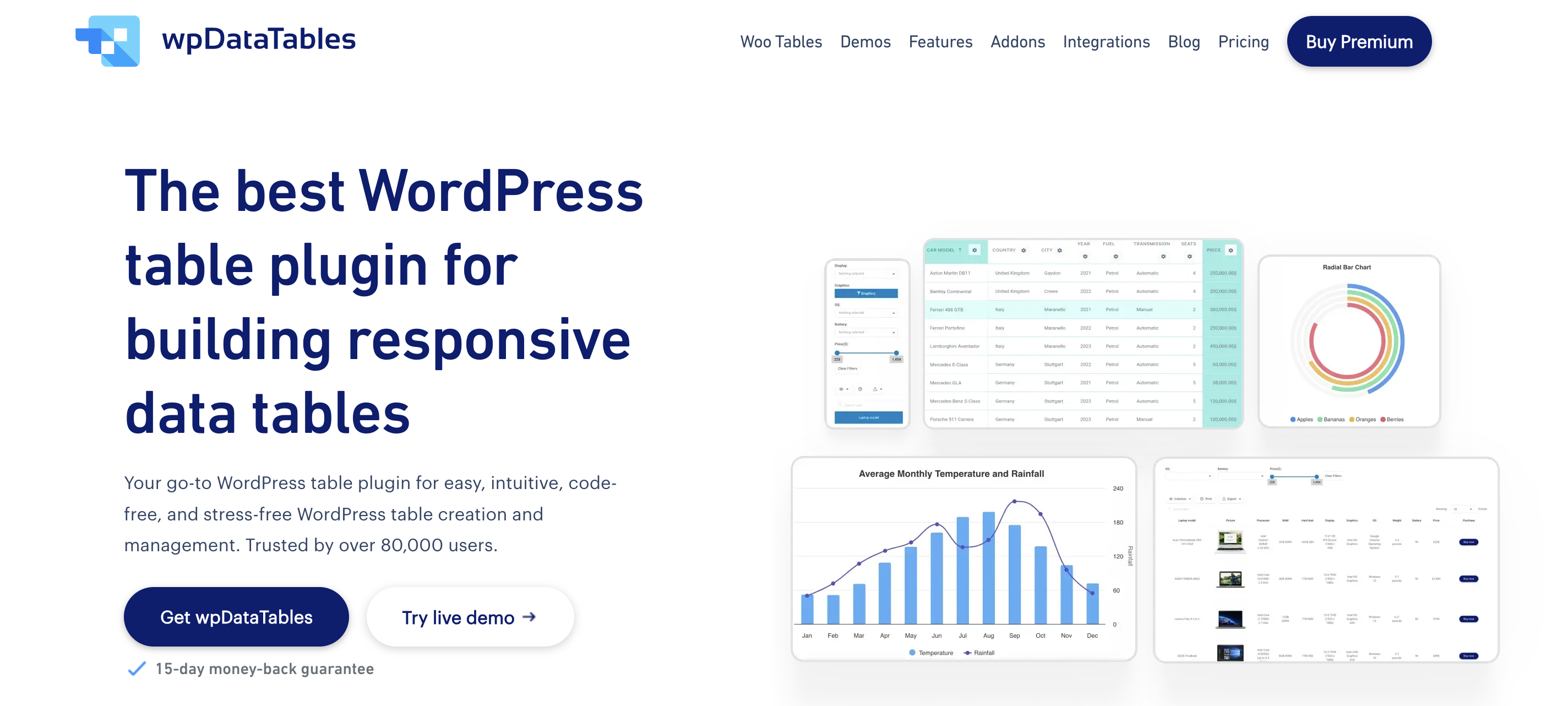 wpDataTables is a WordPress plugin for creating tables and charts. It can handle everything from simple tables to more advanced setups, which is why it is often used for projects that need more control over data display. Along with searchable and sortable tables, it also includes features like filters, fixed columns, and chart creation, so it can cover more than just basic table layouts.
Key features
- Create tables manually or from existing data sources
- Connect Excel, CSV, JSON, XML, PHP arrays, and Google Sheets
- Pull data from MySQL queries and external databases
- Add advanced filters for text, dates, dropdowns, and checkboxes
- Use fixed headers and columns for easier navigation
- Build charts from your table data
- Customize your tables, calculate totals for columns, or use row grouping
What is Posts Table Pro?

Posts Table Pro is a WordPress plugin for displaying website content in a table layout. It works with posts, pages, custom post types, custom fields, and taxonomies, making it a straightforward way to organize existing WordPress content. The plugin also includes the core table features most sites need, such as search, sorting, filters, and flexible column control.
Key features
- List posts, pages, and custom post types in a table
- display custom fields and taxonomies
- Add search, sorting, and filters
- Choose which columns to show
- Use lazy loading for larger tables
- display content in a more structured, easy-to-browse format
Posts Table Pro vs wpDataTables: Core Differences
The main difference between Posts Table Pro and wpDataTables is the kind of flexibility they offer.
wpDataTables is a more complete table plugin. It gives you more control over how tables are built, where the data comes from, and how that data is displayed. Because of that, it can handle a wider range of table use cases, from simple content tables to more advanced data-heavy setups.
Posts Table Pro takes a more focused approach. It is mainly built for displaying existing WordPress content in a table layout, which works well if that is all you need. But compared to wpDataTables, it is a narrower solution.
That difference carries through the rest of the plugin. wpDataTables gives you more room to customize tables, work with different data sources, and build tables for different types of projects. Posts Table Pro takes a more limited approach and stays closer to standard WordPress content listing.
So while both plugins can help you create searchable and sortable tables, wpDataTables is the more flexible option overall.
Ease of Use
Ease of use is something you should consider when choosing any WordPress plugin, but especially with table plugins. Even if there is a long list of features that won’t help much if the setup feels confusing or basic tasks take too long.
When comparing Posts Table Pro vs. wpDataTables, this mostly comes down to the setup process and the overall learning curve.
Setup process
The setup process depends on what you are trying to build.
With Posts Table Pro, things are more direct. You install the plugin, pick the content you want to display, choose the columns, and you are almost done. Since everything is already inside WordPress, there is not much to configure beyond the table itself.
wpDataTables gives you more options from the start. You can create a table manually, import data, or connect it to different sources. That adds a few extra steps, but it also means you are not limited to one way of building tables. Moreover, you can also create charts from your data.
Ultimately, the initial setup can feel faster with Posts Table Pro, especially for simple content tables. But wpDataTables gives you more flexibility right from the beginning, which matters once your tables get more complex.
Learning curve
That same difference shows up in the learning curve, too. Since Posts Table Pro is more limited in scope, it is usually easier to get used to. The plugin does not ask you to do much beyond choosing what content to show and how to organize it, so most users will find it fairly easy to work with.
wpDataTables, on the other hand, has more depth. There are more features to explore, more settings to work with, and more ways to build tables depending on the kind of project you have in mind. Even so, the plugin remains user-friendly and easy to navigate, so getting comfortable with it does not take much effort.
That added flexibility is a big advantage. Once you move beyond the basics, wpDataTables gives you more control over how your tables look, work, and handle data, which makes it a better long-term option as your needs grow.
Customization
Once your table is set up, the next step is customization. This is where styling starts to matter more, because a table should not only work well but also look right on the page. Things like column layout, spacing, colors, and overall structure all affect how easy the table is to use.

When it comes to customization, wpDataTables gives you all the control you need. You can adjust table layout, fine-tune columns, apply different styling options, and work with more advanced features like conditional formatting and calculated values. This makes it easier to shape the table exactly the way you want, especially if you are working with more complex data.
Posts Table Pro keeps things simpler. You can choose which columns to display, control the basic layout, and apply styling so the table fits your site. But your options are more limited beyond that.
Table Creation and Content Sources
How you create tables and where the data comes from is one of the biggest differences between these two plugins. This affects not just how you build tables, but also what kind of projects each plugin is better suited for.
Data sources in wpDataTables
wpDataTables gives you a lot of flexibility when it comes to data sources. You can create tables manually, but you can also import data or connect to different external sources depending on what you need.
This includes spreadsheets, Google Sheets, SQL queries, and other external data sources. As a result, you are not limited to content already stored in WordPress. That gives you much more flexibility when building tables for different kinds of projects.
Content sources in Posts Table Pro
Posts Table Pro works differently. Instead of pulling in external data, it is built around content that already exists in WordPress.
You can create tables from posts, pages, custom post types, custom fields, and taxonomies. The plugin takes that content and displays it in a table layout, with options for search, filters, and sorting.
This makes it a good option if your data already lives inside WordPress and you just want to present it differently.
Display and Customization Options
Once your data is in place, the next step is making it fit your website. Layout, styling, and table controls all play a role in how easy the table is to use.
Table layout and styling
When it comes to layout and styling, wpDataTables gives you more control. You can adjust how tables are structured, customize columns, and apply different styling options to match your site. This makes it easier to create tables that feel fully integrated with your design, especially if you need something more tailored.
Posts Table Pro keeps things simpler. You can control columns, adjust the layout, and apply basic styling so the table fits your site. However, if you are looking to finetune your tables exactly to your needs, you may find the customization options more limited.
Filtering, searching, and sorting
Both plugins cover the basics here. You can search through table content, sort columns, and apply filters to make large tables easier to navigate.
The difference is in how far you can take it. wpDataTables offers more advanced filtering options, including different filter types and more control over how data is handled. This is useful when working with larger or more complex datasets.
Posts Table Pro focuses on simpler controls. Search, sorting, and filters are easy to use and work well for browsing WordPress content, but the options are more straightforward overall.
Advanced Features: wpDataTables vs. Posts Table Pro
Once you move beyond basic tables, advanced features become more important. This is where the differences between the two plugins become clearer, especially in terms of flexibility.
wpDataTables clearly offers more on this side. Beyond table creation, it includes features that give you more control over how data is managed, displayed, and reused. For example, it can pull custom fields into tables through its WP Posts Builder, which is especially useful if you are already using tools like ACF or SCF. It also comes with WooCommerce integration, options for updating manual tables from source files, hidden columns, value transformations, column calculations, and built-in accessibility support through WCAG compatibility. On top of that, features like totals, averages, minimums, maximums, and row grouping make it a stronger choice for projects that need more than just front-end display.
Posts Table Pro also includes some useful advanced options, but they are more focused on table behavior than deeper data handling. You can control the default sort order, make sure date-based columns sort correctly, adjust column widths, exclude entire categories or taxonomies, and choose whether to show a footer row with repeated headings. Those features are helpful for content-heavy WordPress sites, but they do not add the same level of flexibility or data control.
So while both plugins offer more than the basics, wpDataTables goes much further once you start looking at advanced functionality. It gives you more tools to shape the table itself, manage the underlying data, and adapt the plugin to more complex use cases.
Customer Support
Customer support can make a bigger difference than it seems at first. Once you start working with a plugin on a real site, questions and small issues tend to come up, so having clear documentation and reliable support becomes important.
Both plugins offer solid documentation, so you can usually find answers to common questions without much trouble. Posts Table Pro keeps things straightforward here, with clear guides and direct support when needed.
wpDataTables also provides detailed documentation, along with chat support for more advanced use cases. Because the plugin covers a wider range of features, the documentation goes deeper as well, which is helpful when you are working on more complex setups. Plus, there is a YouTube channel with tutorials and walkthroughs, which can make it easier to follow along and understand how different features work in practice.
Pricing and Value
The last piece of the puzzle in your decision should be pricing and overall value.
Both plugins follow a similar pricing model, with annual and lifetime licenses based on the number of sites.
wpDataTables pricing
Anual licences
- Starter (1 domain) – $59
- Standard (1 domain) – $89
- Pro (3 domains) – $129
- Developer (unlimited domains) – $199
Lifetime licences
- Standard – $219
- Pro – $369
- Developer – $499
Post Table Pro pricing
Annual licences
- 1 site – $69
- Up to 5 sites – $119
- Up to 20 sites – $249
Lifetime licences
- 1 site – $349
- Up to 5 sites – $599
- Up to 20 sites – $999
Looking at the numbers, wpDataTables offers better value overall. Its entry price is lower, its higher-tier plans stay more affordable, and the gap becomes even more noticeable with lifetime licenses. If pricing is an important factor, wpDataTables is clearly the more budget-friendly option.
wpDataTables vs. Posts Table Pro: Final Verdict
At the end of the day, the choice comes down to what you expect from a table plugin.
If you just need a clean way to display WordPress content in a table, Posts Table Pro is a solid and straightforward option. It is easy to set up and does exactly what it is built for.
But if you need more flexibility, more features, and more room to grow, wpDataTables makes more sense. It covers a wider range of use cases, works with different data sources, and gives you more options as your tables become more complex.