Table of Contents
How to use Float columns in wpDataTables
Say your sales table has a Yearly revenue column with values such as 10,000,000.00 and 0.88. Numbers with decimals belong in a Float column: wpDataTables sorts them by value, shows them with the number of decimal places you choose and can calculate the total, average, minimum and maximum below the table.
How do I make a column a Float column with Tabella AI?
Open the table, click Ask Tabella AI and name the column and the type.
- Open the table. Go to wpDataTables → wpDataTables and click the table title.
- Ask Tabella AI. Click Ask Tabella AI and type, for example: Change the Price column type to Float with 2 decimal places.
- Check and save. Tabella AI lists what it changed, for example Column “Price”: decimal places: inherited → 2. Click Save Changes, or Undo table changes to go back.
How do I make a column a Float column in the column settings?
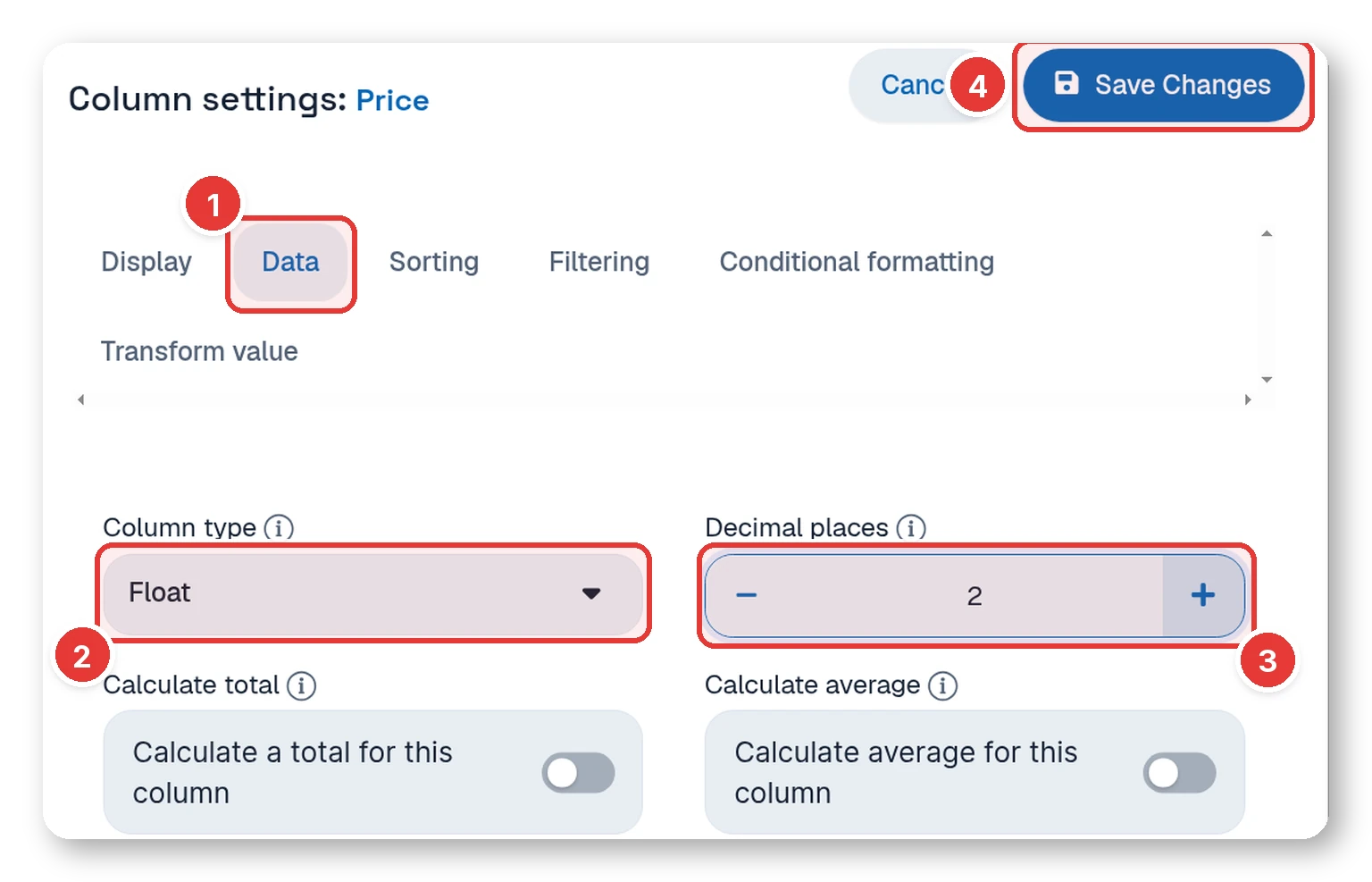
Set the column type to Float in the Data tab of the column settings and save the table.
- Open the column settings. Go to wpDataTables → wpDataTables, open the table and click the settings icon in the column header.
- Change the type. In the Data tab, set Column type to Float.
- Set the decimal places. In Decimal places, set how many digits to show after the decimal point with the − and + buttons, for example 2. Leave it empty to use the number of decimals from the main settings.
- Save the table. Click Save Changes.
The column settings of a Float column show the type and the decimal places together:
How does a Float column show, sort and filter values?
A Float column reads each value as a number and shows it with the decimal places you set:
| What | How it works |
|---|---|
| Display | A number with the set decimal places. The decimal and thousands separators follow Number format in the main settings. |
| Sorting | By value |
| Filter types | Text, Number, Number range (with an optional slider), Selectbox, Multiselectbox and Checkbox |
| Calculations | Total, average, minimum and maximum below the table. Read Calculation functions. |
What should I remember about Float columns?
Use Float for numbers with decimals, such as prices, ratings and measurements. Set Decimal places per column or leave it empty to use the main settings. Float columns sort by value, work with number filters and can show totals and averages.
Where can I read more?
These pages cover number columns and calculations: