


Table of Contents
Date columns render date values in the format you specify on the wpDataTables settings page. If the source data cannot be interpreted as a date, PHP defaults to 01/01/1970.
They cast values as dates and format them using your plugin settings.
Issues to note:
In the example table, the Date column is formatted as DD/MM/YYYY (for example, 20/10/2018), shown alongside referral emails, hits, visitors, and revenue data.
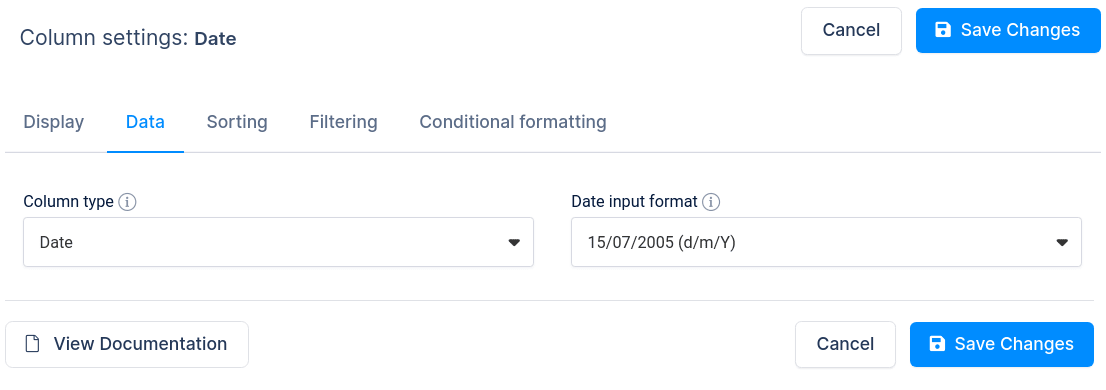
If you created table using “Create a table linked to an existing data source” and the “Date” column is not rendered well (e.g., some cell values are missing) you have to choose the “Date input format” used in the provided data source. Our plugin guesses date formats correctly in most cases, but in cases where you have dates in string column in Excel, for example, you will need to “tell” our plugin which format to expect from your data source.
If you are creating a table using “Create a table by importing data from data source”, you should set “Date input format” before you create a table so that date values will be saved in the correct format in the database. You will see a “Date input format” dropdown in the column block that is a “Date” column type.
To get your hands on wpDataTables Lite, please enter your email address below. We’ll send you a direct download link and keep you updated on existing features along with helpful tips and tricks!