


Table of Contents
DateTime columns handle values that contain both a date and a time, rendering them in the format specified on the wpDataTables settings page.
Issues to note:
In the example, a football match table has a “Date & time” column showing entries like 22/10/2020 01:30 PM alongside team and stadium information.
| wdt_ID | Date & time | Home team | Away team | Stadium |
|---|---|---|---|---|
| 1 | 22/10/2020 01:30 PM | Bournemouth | Tottenham | Dean Court |
| 2 | 22/10/2020 04:00 PM | Arsenal | Middlesbrough | Emirates Stadium |
| 3 | 22/10/2020 04:00 PM | Burnley | Everton | Turf Moor |
| 4 | 22/10/2020 04:00 PM | Hull City | Stoke City | KCOM Stadium |
| 5 | 22/10/2020 04:00 PM | Leicester City | Crystal Palace | King Power Stadium |
| 6 | 22/10/2020 04:00 PM | Swansea City | Watford | Liberty Stadium |
| 7 | 22/10/2020 04:00 PM | West Ham United | Sunderland | London Stadium |
| 8 | 22/10/2020 06:30 PM | Liverpool | West Bromwich Albion | Anfield |
| 9 | 22/10/2020 06:30 PM | Manchester City | Southampton | Etihad Stadium |
| 10 | 22/10/2020 07:30 PM | Chelsea | Manchester United | Stamford Bridge |
| Date & time | Home team | Away team | Stadium |
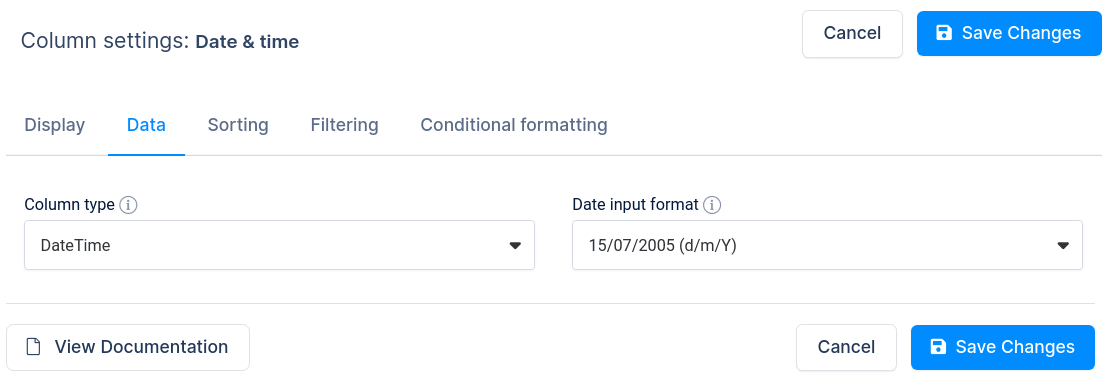
When you create tables from external data sources, set the “Date input format” in the column settings so datetime values render correctly. DateTime rendering may fail if the plugin cannot determine the storage format; manually configuring the “Date input format” to match your source may be necessary for CSV, JSON, XML, Google Sheets, or plain-text Excel inputs.
To get your hands on wpDataTables Lite, please enter your email address below. We’ll send you a direct download link and keep you updated on existing features along with helpful tips and tricks!