Table of Contents
How to use Date columns in wpDataTables
Say your marketing report has a Date column with values such as 20/10/2026, and you want visitors to see the days in order and pick a date range. In a Date column, wpDataTables reads each value as a date, shows it in your site’s date format and sorts the rows by date. If a value can’t be read as a date, it shows as 01/01/1970.
How do I make a column a Date column with Tabella AI?
Open the table, click Ask Tabella AI and name the column and the type.
- Open the table. Go to wpDataTables → wpDataTables and click the table title.
- Ask Tabella AI. Click Ask Tabella AI and type, for example: Change the Due date column type to Date.
- Check and save. Read the reply of Tabella AI and check the preview. Click Save Changes to keep the change, or Undo table changes to go back.
Tabella AI doesn’t change the type when the change could lose data. Saving the table converts the column in the database, so if some of the current values, the table size or the connection wouldn’t convert without loss, Tabella AI explains this, changes nothing and suggests changing the type in the column settings if you accept the loss.
How do I make a column a Date column in the column settings?
Set the column type to Date in the Data tab of the column settings and save the table.
- Open the column settings. Go to wpDataTables → wpDataTables, open the table and click the settings icon in the column header.
- Change the type. In the Data tab, set Column type to Date. A Date column has no other settings in this tab.
- Save the table. Click Save Changes.
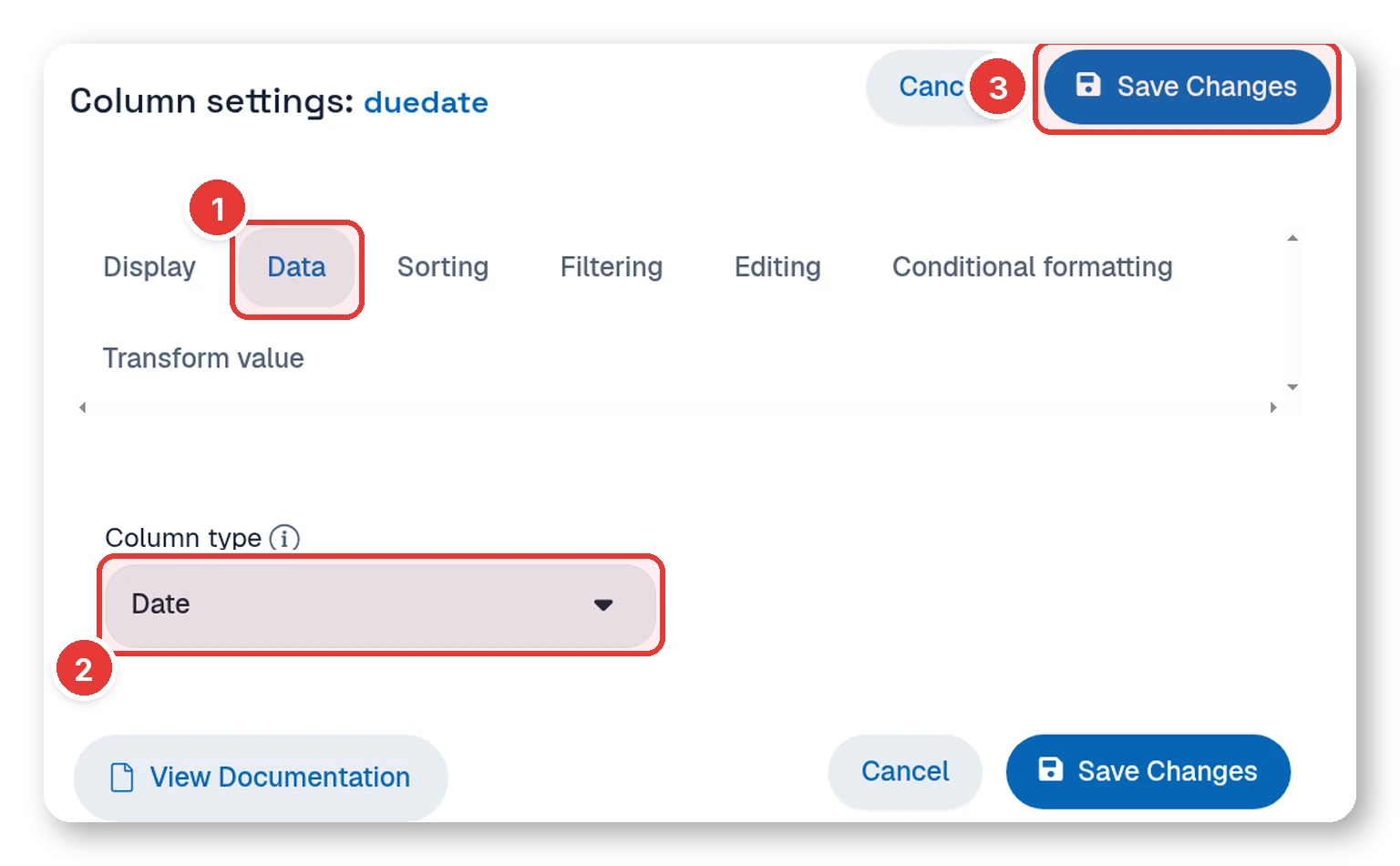
The format of all Date columns is set in Date format in wpDataTables → Settings → Main settings. The list has 25 formats, for example 15/07/2005 (d/m/Y), 07/15/2005 (m/d/Y), 2005-07-15 (Y-m-d) or July 15, 2005 (F j, Y).
How do I fix dates that show wrong?
Write the dates in your source in one clear format. wpDataTables reads most formats, but it can’t tell whether 03/04/2026 is March 4 or April 3, and the column settings have no separate input format. A format with the year first, such as 2026-04-03, or the format you chose in Date format, avoids the guesswork.
How does a Date column show, sort and filter values?
A Date column turns each value into a date and formats it with the site’s date format:
| What | How it works |
|---|---|
| Display | The date in the format from Date format |
| Sorting | By date |
| Filter types | Date range |
What should I remember about Date columns?
Date columns show dates in the Date format from the main settings, sort by date and use a Date range filter. If dates show wrong or as 01/01/1970, write them in one clear format in your source, for example year first. Tabella AI changes a column to Date only when no values would be lost.
Where can I read more?
These pages cover date and time columns: