


Create WordPress Tables and Charts With a Single AI Command

“Create a bar chart of revenue by region from the Q1 Sales table.” One sentence. And a chart appears in your WordPress admin, ready to embed.

“Create a bar chart of revenue by region from the Q1 Sales table.” One sentence. And a chart appears in your WordPress admin, ready to embed.
 Read MoreThe Best AI Plugins for WordPress (2026)
 Read MoreThe Best WordPress Plugins with MCP (2026)
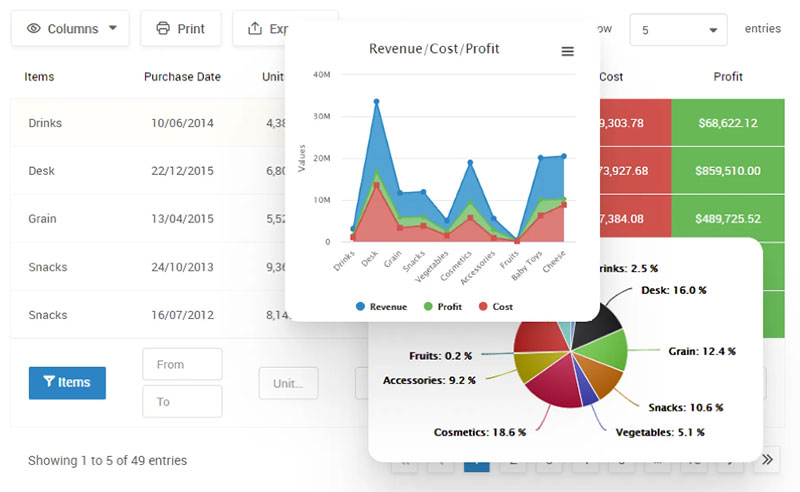 Read MoreHow to Make a Data Table Online with WordPress
A comparison chart maker takes data sitting in a spreadsheet, a CSV file, or a database and turns it into something a reader can actually scan, a sortable table or a side-by-side chart, without anyone touching code. That’s different from…

Turning a spreadsheet or a database into something a visitor can actually poke at, hover over, filter, zoom into, is what separates an interactive chart tool from a plain image dropped into a page. That’s the category in one sentence,…

Forty responses land in a spreadsheet and just sit there. Rows and columns, no shape to any of it yet. A survey graph maker takes that raw pile of poll, quiz, or form answers and turns it into something a…

Chart generators are web-based or software tools that turn raw data into a finished, styled chart without requiring code or design software. Marketing teams, WordPress site owners, developers, and data journalists reach for one instead of building a chart by…

JavaScript charting libraries turn structured data into charts and graphics that render right there in the browser, not as some static image handed over from a server. Picking one usually comes down to the rendering engine and how well it…
Most finance teams start reporting numbers in a spreadsheet, then hit the same wall eventually: someone asks for a chart or a live table on a web page, and Excel wasn’t built for that. Financial data visualization tools exist to…
 Read More10 Best WordPress Table Plugins, Ranked by Setup Speed
A WordPress site owner who wants a live pricing table doesn’t need the same tool as a data engineer building a Superset dashboard on top of a Postgres warehouse. Most “best of” lists lump them together anyway. wpDataTables Lite tops…